
AvoMap Review: Animated 3D Route Videos for $59 — Is the Credit Deal Worth It?
Verdict: One of the easiest ways to turn a GPX file into a polished 3D route video — just budget for credits, since 4K and logo removal cost extra.
Lifetime deal · 60-day refund · via AppSumo
By Karan Tiwari · Editor, TapDeals
- Published
- Last tested
Our verdict
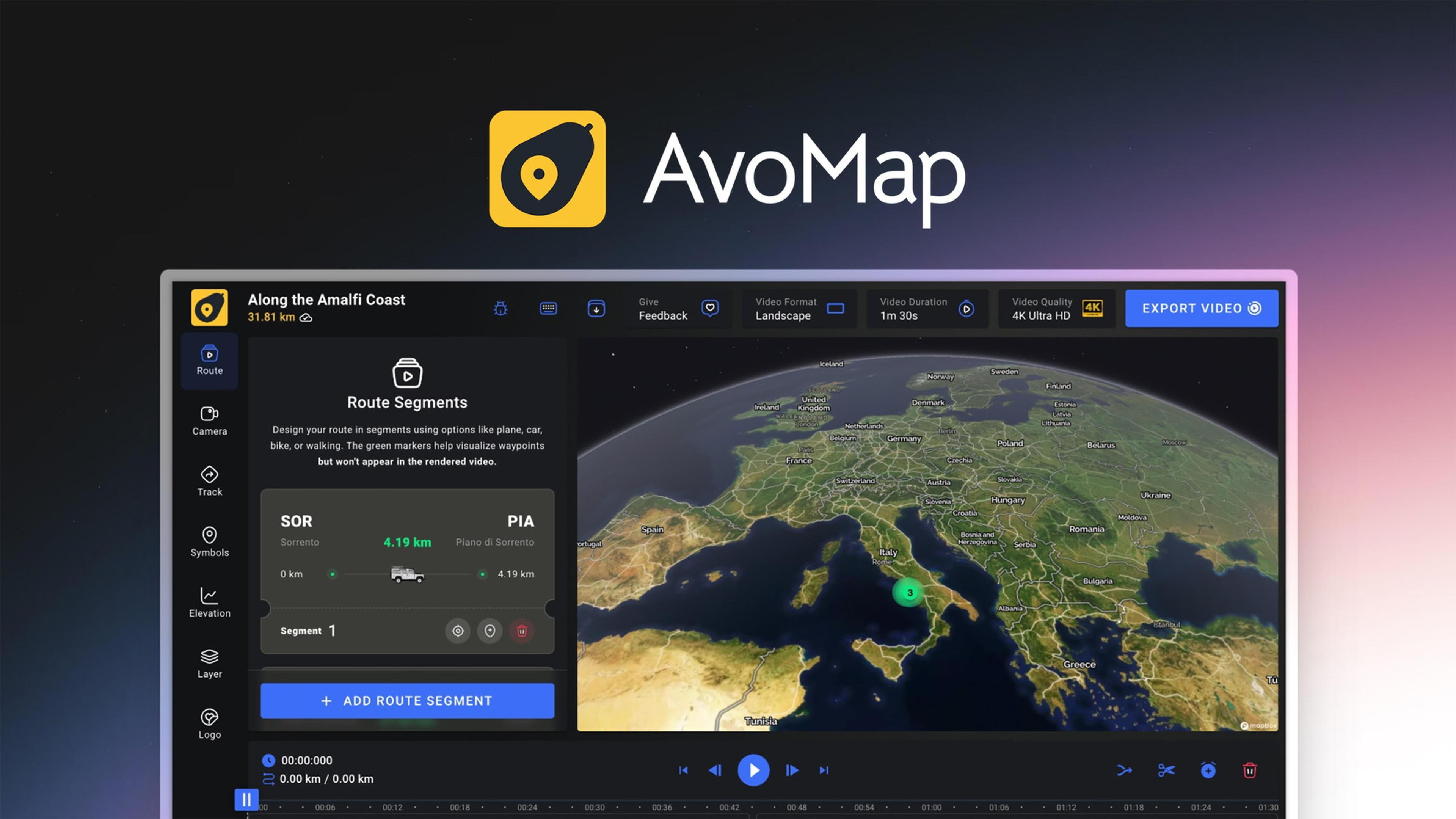
AvoMap turns a GPX file, a flight or a hand-drawn route into a cinematic 3D map animation in your browser, with free previews and paid exports. The $59 AppSumo code gives you 6 render credits every month for life, but a 4K export without the AvoMap logo uses three, so heavy users will want to stack codes.
Best for: Travel creators, YouTubers and event organisers who make route videos every month
Pros
- Turns GPX, KML, FIT or TCX files — or a route you draw — into a 3D animated map in minutes
- Free editor and previews: you only spend credits when you export
- Mix drives, hikes and flights in one video, with 100+ marker presets and custom symbols
- Exports 60 fps MP4 in 1080p or 4K, in landscape or portrait
- 6 credits a month for life for $59, and codes stack without limit
- A hands-on founder who ships buyer requests, like custom 3D models
Cons
- 4K and removing the AvoMap logo each cost an extra credit, so a branded 4K video uses 3 of your 6 monthly credits
- The listing doesn't say whether unused monthly credits roll over
- Mobile is limited — a buyer reports lost progress and failed downloads on iPhone
- No independent video reviews; every review video I found re-uses the founder's tutorial
- Partner-managed listing that AppSumo hasn't vetted, with no extended guarantee
- The listing FAQ contradicts the deal, saying there are no monthly subscriptions
Choose it if…
- You make travel, hiking, running or event videos and want route animations without After Effects
- You'll export a few videos every month
- You want vertical versions for Reels and Shorts as well as landscape
Skip it if…
- You only need one or two videos — a $9 or $29 credit pack is cheaper
- You mostly work on a phone
- You need 4K, logo-free exports in volume without stacking codes
How we tested AvoMap
- Method
- Desk research only
- Last tested
- Oct 19, 2026
I read AvoMap's AppSumo listing, buyer reviews and relaunch notes, checked the credit rules and packages on its own pricing page, and watched the founder's tutorial. Every AvoMap "review" video I found re-used that same tutorial, so there were no independent video reviews to draw on. I haven't exported a video myself.
Read our full review methodologyWhy I looked at AvoMap
Animated route maps — the line that traces a road trip, a flight or a mountain trail across a 3D landscape — are everywhere in travel and fitness content. Making them usually means Google Earth Studio, After Effects or a phone app with a watermark. AvoMap's AppSumo deal promises studio-looking results from a GPX file in your browser, with a monthly allowance of exports for life.
I read the listing, the buyer reviews and the July 2025 relaunch notes, checked the credit rules on AvoMap's own pricing page, and watched the founder's walkthrough of the editor. Here's what I found.
What AvoMap actually is
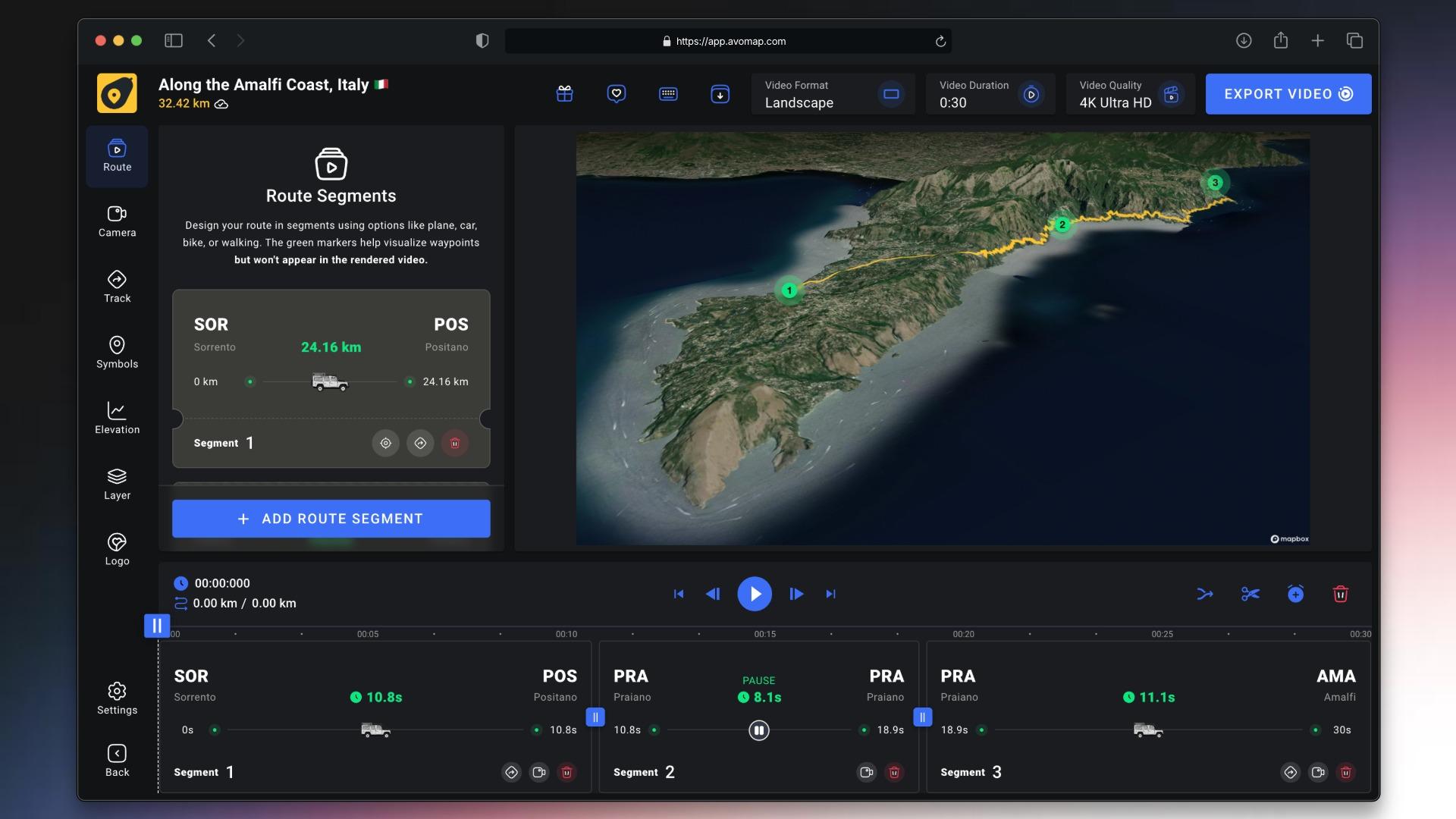
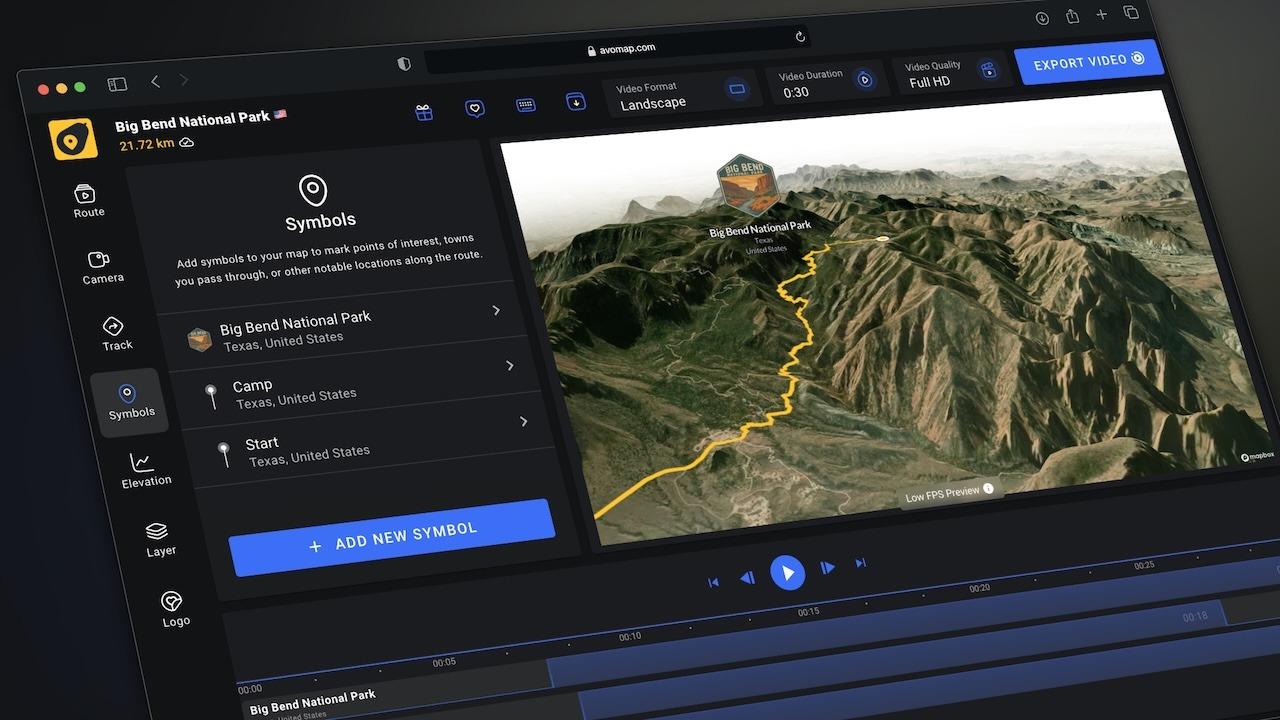
AvoMap is a browser-based map animation editor. You upload a GPX, KML, FIT or TCX file — from Strava, Garmin, Komoot or AllTrails — or draw a route by hand, and AvoMap renders it on a 3D map. You can chain segments (drive, walk, flight), add stops, tune the camera and preview everything for free. When you're happy, you export an MP4, and that's when you spend render credits.
It works on Windows, macOS and Linux in the browser, and on phones through the mobile browser, though the experience is clearly built for desktop.
The features that stood out to me
Free until you export
The editor and previews cost nothing, so you can perfect a video before spending a credit. That's a fairer model than tools that charge for every attempt.
Real camera control
The founder's walkthrough shows how much you can steer: tilt the camera to bring mountains into view, set the distance from the track, rotate around the route, change the duration, and add fly-in and fly-out intros from high above. Since the July 2025 rebuild, videos can be longer, camera paths are smarter and elevation follows the terrain.
Multi-modal trips and custom markers
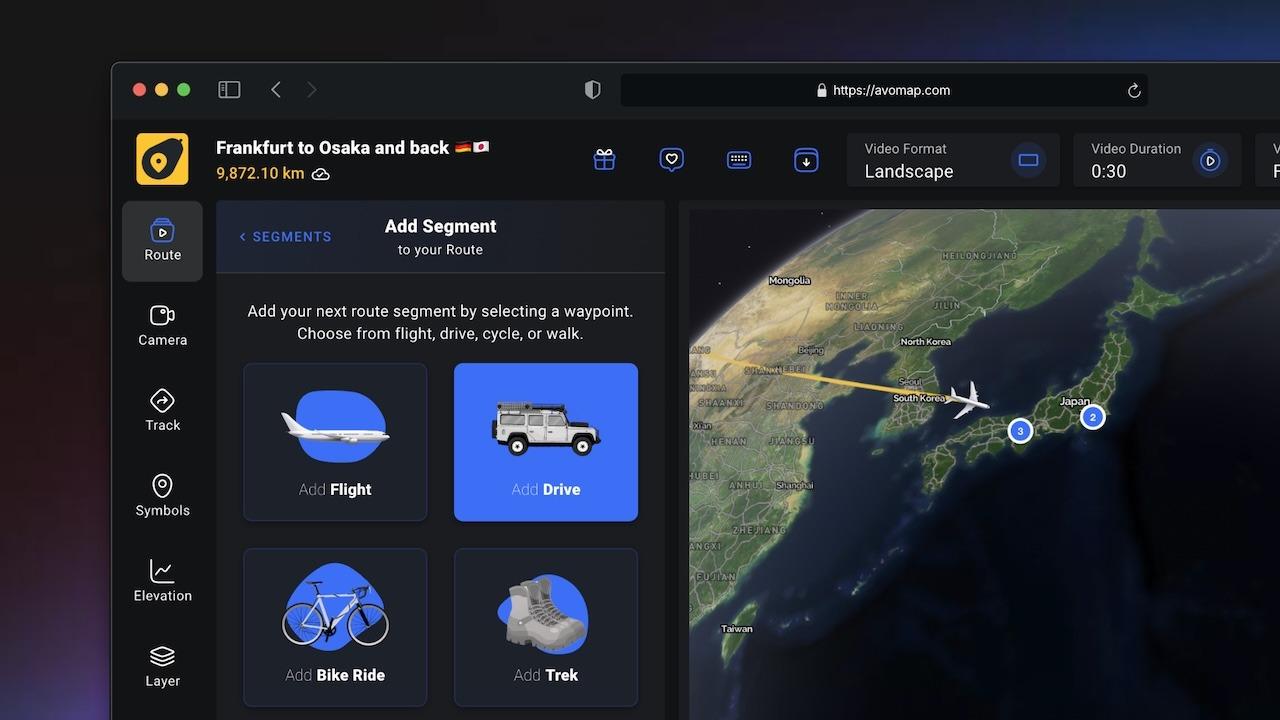
You can mix flights, drives and hikes in one animation, highlight countries or cities, and drop markers from 100+ presets or your own symbols. One buyer asked for custom 3D models and got them; making one costs a credit the first time and is free to reuse after that.
Ready for every platform
Exports are 60 fps MP4 in 1080p or 4K, in landscape or portrait, so the same route can become a YouTube intro and an Instagram Reel. Buyers praise the 4K output in particular.
Where AvoMap falls short
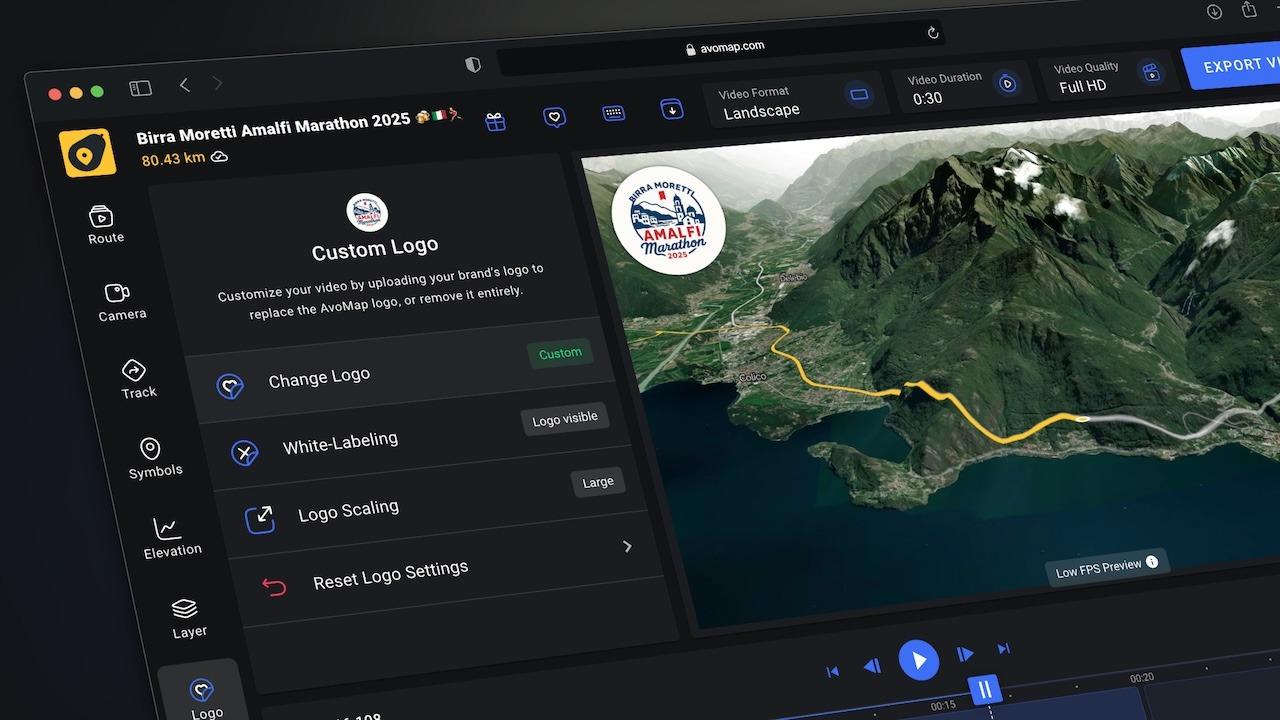
- Extras eat credits. A 1080p export is 1 credit, but 4K adds 1, removing the AvoMap logo adds 1, and using ten or more custom symbols adds 1. A branded 4K video therefore uses 3 of the 6 credits a single code gives you each month. One buyer called paying a credit just to add a logo steep for a lifetime plan.
- Rollover is unclear. The listing doesn't say whether unused monthly credits carry over, so plan on using them each month.
- Desktop first. A June 2026 reviewer found editing progress could reset on an iPhone and couldn't download finished videos there, so they switched to a PC. The founder says mobile is being worked on.
- Little independent coverage. Every AvoMap "review" video I found on YouTube re-uses the founder's own tutorial, and AppSumo hasn't vetted this partner-managed listing, so there's no extended "We Got Your Back" protection — just the standard 60-day refund.
- Confusing listing copy. The FAQ says there are "no monthly subscriptions" even though the deal is built on monthly credits, and it says files are never uploaded — that applies to AvoMap's free file converters, not to rendering.
AvoMap pricing: lifetime credits vs. credit packs
AvoMap doesn't sell subscriptions directly. Its own site offers one-time credit packs: $9 for 5 credits, $29 for 20 and $59 for 50, and previews are always free.
On AppSumo, $59 gets you 6 credits every month for life — 72 a year, versus 50 once for the same money direct. If you export at least a few 1080p videos a month, the code pays for itself within a year; each extra code ($59) adds another 6 credits a month, and there's no stacking limit. If you'll only ever make a couple of videos, the $9 or $29 pack is the smarter buy.
What other buyers are saying
AvoMap averages 4.76 out of 5 from 21 AppSumo reviews, with 19 five-star ratings. Buyers like how quickly they can build routes, the 4K quality, and a founder who replies within a day and builds what people ask for. The complaints are about mobile limitations, credits for branding, and save and delete options being hard to find.
My verdict
If you make route videos regularly, AvoMap is a genuinely easy way to get cinematic results without learning motion graphics, and 6 exports a month for $59 is solid value — as long as you account for 4K and logo removal costing extra credits. Get AvoMap on AppSumo, try the free editor first, and stack a second code if you plan on branded 4K videos.
Screenshots
AvoMap pricing
| Plan | Price | Best for |
|---|---|---|
| AppSumo — 1 code | $59 one-time | 6 render credits every month, for life. |
| AppSumo — 3 codes | $177 one-time | 18 credits a month. Codes stack without limit. |
| Basic pack (direct) | $9 one-time | 5 render credits. |
| Plus pack (direct) | $29 one-time | 20 render credits. |
| Pro pack (direct) | $59 one-time | 50 render credits. |
Prices checked Oct 19, 2026. Pricing can change — confirm current plans on AvoMap’s website.
Lifetime deal · 60-day refund · via AppSumo
AvoMap alternatives
Google Earth Studio
Browser-based animation tool for Google Earth imagery
Choose it instead if you want free cinematic Earth flyovers and don't mind a steeper learning curve
TravelBoast
Mobile app for animated travel route videos
Choose it instead if you'd rather create quick route animations on your phone
AvoMap FAQs
How many videos do I get with the AvoMap AppSumo deal?
Each $59 code gives you 6 render credits every month. A 1080p export uses 1 credit; 4K, logo removal and ten or more custom symbols each add 1 more.
Is AvoMap free?
The editor and previews are free. You spend credits only when you export a video. Bought directly, credit packs start at $9 for 5 credits.
What files does AvoMap support?
AvoMap imports GPX, KML, FIT and TCX files, so routes from Strava, Garmin, Komoot or AllTrails work. You can also draw a route by hand.
Does AvoMap work on mobile?
It runs in mobile browsers, but the founder says the experience is best on a computer, and one buyer couldn't download videos on an iPhone.
Can I get a refund?
AppSumo offers a 60-day refund window. The listing is partner-managed and isn't covered by AppSumo's extended "We Got Your Back" guarantee.
AvoMap · $59
Lifetime deal · 60-day refund · via AppSumo