Video Hosting & PlayersDesk research

KillerPlayer · $69
Lifetime deal · 60-day refund · via AppSumo
KillerPlayer · $69
Lifetime deal · 60-day refund · via AppSumo
Verdict: A cheap way to make YouTube embeds look like Wistia — but only Plan 3 is a real deal, and it depends on YouTube tolerating it.
Lifetime deal · 60-day refund · via AppSumo
By Karan Tiwari · Editor, TapDeals
Lifetime deal · AppSumo
$69one-time
Offer checked Oct 18, 2026. TapDeals may earn a commission if you buy through this link, at no extra cost to you.
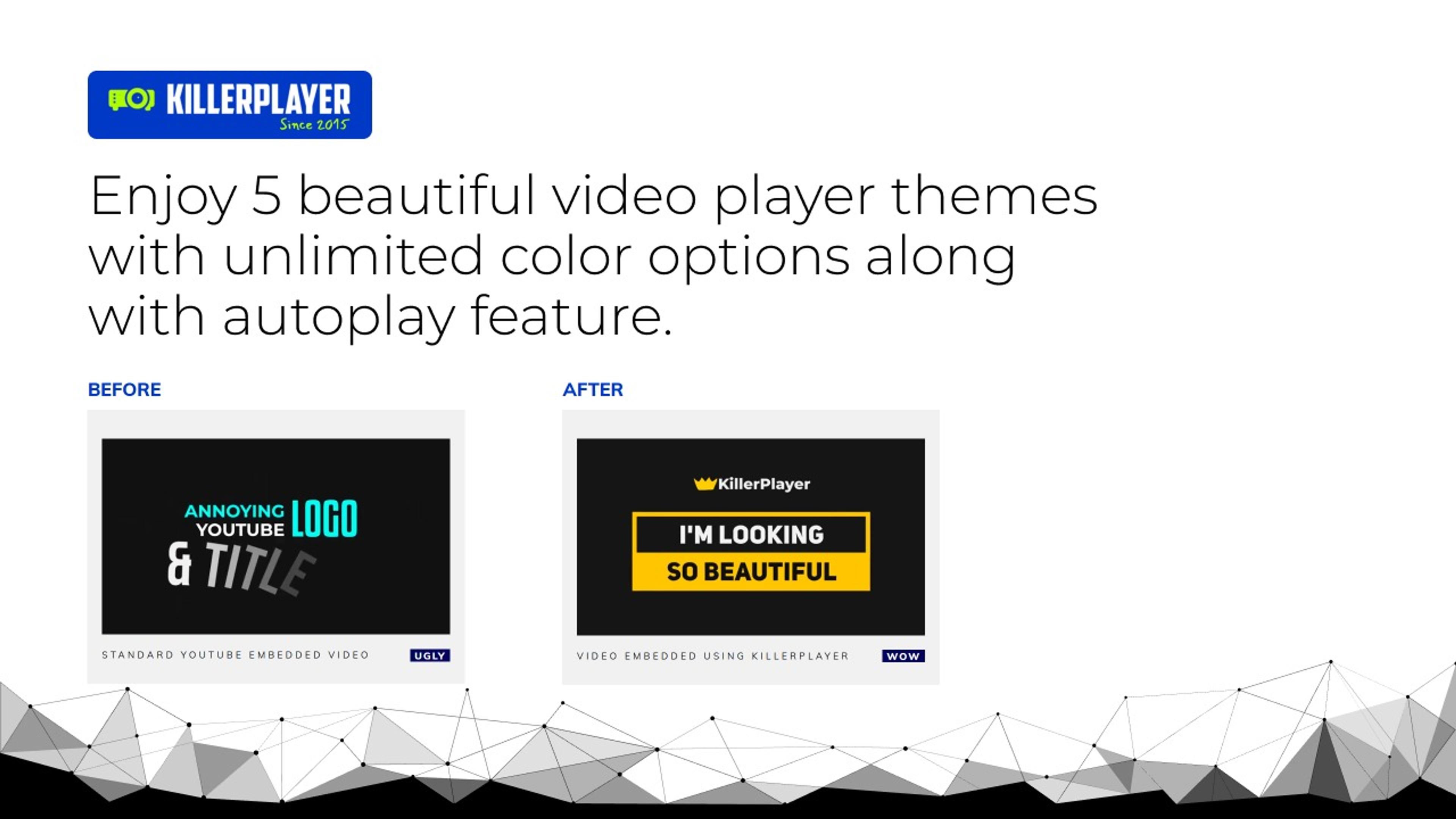
KillerPlayer keeps your videos on YouTube but swaps the player on your site for a clean, branded one with no YouTube logo, ads or recommended videos. It's been around since 2015 with 228 AppSumo reviews. The catch: the $69 and $138 tiers cost the same as buying direct, and hiding YouTube's branding sits awkwardly with YouTube's own developer policies.
Best for: Course creators and agencies embedding YouTube-hosted video on sites and funnels
I compared KillerPlayer's AppSumo tiers with the prices on its own website, read the listing, 228-review breakdown and recent reviews, and checked YouTube's API developer policies. I watched three hands-on video reviews in full (Josh Pocock, Tanya Smith and Tim Verdouw); all predate the 2025 relaunch. I haven't embedded it on a live site myself yet.
Read our full review methodologyYouTube is free, unlimited video hosting — but its embedded player is built to keep viewers on YouTube, not on your course or landing page. The logo, the title bar, the channel link and especially the recommended videos at the end all pull people away. Paid hosts like Wistia and Vimeo fix that, for a monthly fee. KillerPlayer's AppSumo deal promises the polished look without the subscription.
I compared the deal with KillerPlayer's own pricing, read through its 228 AppSumo reviews, checked YouTube's developer policies, and watched three hands-on video reviews in full. Here's what I found.
KillerPlayer is not a video host. Your videos stay on YouTube (public or unlisted); KillerPlayer restyles the player that shows them on your site. You paste a YouTube link, pick a theme and colours, and copy an embed code you can drop into WordPress, a funnel builder, a course platform — anywhere that accepts HTML.
That design is both its biggest strength (free storage and bandwidth) and its biggest risk (everything depends on YouTube), as you'll see below.
Every reviewer I watched showed the same simple flow: paste a link, wait a few seconds while it processes, then toggle autoplay, the control bar, pausing, high quality and the YouTube logo. Tanya Smith's side-by-side comparison makes the difference obvious — the standard embed shows a channel avatar, a "Watch on YouTube" link and a wall of recommended videos at the end, while the KillerPlayer version simply stops.
There are five themes styled after Wistia, Vimeo, Viddler and others, and you can set the control bar and progress bar to your brand colours, upload a custom thumbnail, add a watermark and set the size (the player is responsive either way).
| Plan | Price | Best for |
|---|---|---|
| AppSumo Plan 1 | $69 one-time | 100 videos (one-time credit), 500,000 views a month. |
| AppSumo Plan 2 | $138 one-time | 500 videos (one-time credit), 2 million views a month. |
| AppSumo Plan 3 | $207 one-time | Unlimited videos and views — the best-value tier. |
| Free | Free | 5 videos, 500 views a month. |
| Plus (direct) | $69 one-time | Same limits as AppSumo Plan 1, or $10/month. |
| Enterprise (direct) | $307 one-time | Unlimited videos and views, or $25/month. |
Prices checked Oct 18, 2026. Pricing can change — confirm current plans on KillerPlayer’s website.
Video hosting and player platform
Choose it instead if you'd rather host the video files yourself instead of depending on YouTube
Video hosting and marketing platform for businesses
Choose it instead if you need marketing features like lead capture and detailed viewer analytics
No. Your videos stay on YouTube (public or unlisted). KillerPlayer only restyles the player that displays them on your website.
Only for the unlimited tier. AppSumo Plans 1 and 2 ($69 and $138) match KillerPlayer's own one-time Plus and Premium prices, while Plan 3 ($207) is $100 less than the $307 Enterprise plan.
YouTube's API developer policies prohibit modifying or blocking parts of the YouTube player and obscuring YouTube attribution. KillerPlayer works by doing exactly that, so it depends on YouTube's tolerance. Check YouTube's terms for your own use.
Password protection and a domain lock — which stops other sites embedding your player — are useful for courses and client work. One buyer points out that the domain lock applies across your whole account rather than per video. You can also serve the player from your own domain via a CNAME, though that currently needs a Cloudflare account.
Early reviews from 2021 noted there was no saved library, so editing meant rebuilding a player. The current version includes a video library, basic analytics and support for YouTube Live streams.
This is where it pays to look closely. KillerPlayer's own pricing page sells the same plans as one-time purchases: Plus (100 videos, 500,000 views a month) for $69, Premium (500 videos, 2 million views) for $138, and Enterprise (unlimited) for $307. There's also a free plan with 5 videos and 500 views a month, and monthly plans from $5.
On AppSumo, Plan 1 is $69 and Plan 2 is $138 — exactly the same as buying direct, despite the $179 "list price". The real saving is Plan 3: unlimited videos and views for $207, versus $307 direct — $100 less. AppSumo also gives you a 60-day refund window instead of KillerPlayer's 30 days, and you can stack up to three codes.
My take: if you need more than a few videos, go straight for Plan 3. If you only need a handful, try the free plan first.
KillerPlayer averages 4.44 out of 5 from 228 AppSumo reviews, with 183 five-star ratings. Recent reviewers praise the customisation, the value of the unlimited plan and fast, specific answers from support. Josh Pocock, who reads the low-star reviews before buying, saw complaints about slowness that the team said were fixed and reported no problems himself. Tim Verdouw bought it with his own money and liked how simple it is. The complaints that do appear are about playback reliability, unsupported video types and setup confusion.
KillerPlayer does one thing well: it makes YouTube-hosted video look like premium hosting on your own site, for a one-time price. The unlimited Plan 3 at $207 is good value if you're comfortable building on YouTube's infrastructure and its rules; the cheaper tiers are no better than buying direct. If that trade-off works for you, get KillerPlayer on AppSumo and use the 60-day window to test it on your real pages.
Lifetime deal · 60-day refund · via AppSumo
Video player plugin for WordPress
Choose it instead if you run WordPress and want the custom player inside your site's plugin stack
Yes. It gives you an HTML embed code that works anywhere you can paste HTML, including WordPress, funnel builders and most course platforms.
AppSumo gives you 60 days to request a refund. Buying directly from KillerPlayer comes with a 30-day money-back guarantee.